Shared Budget & Household Pool
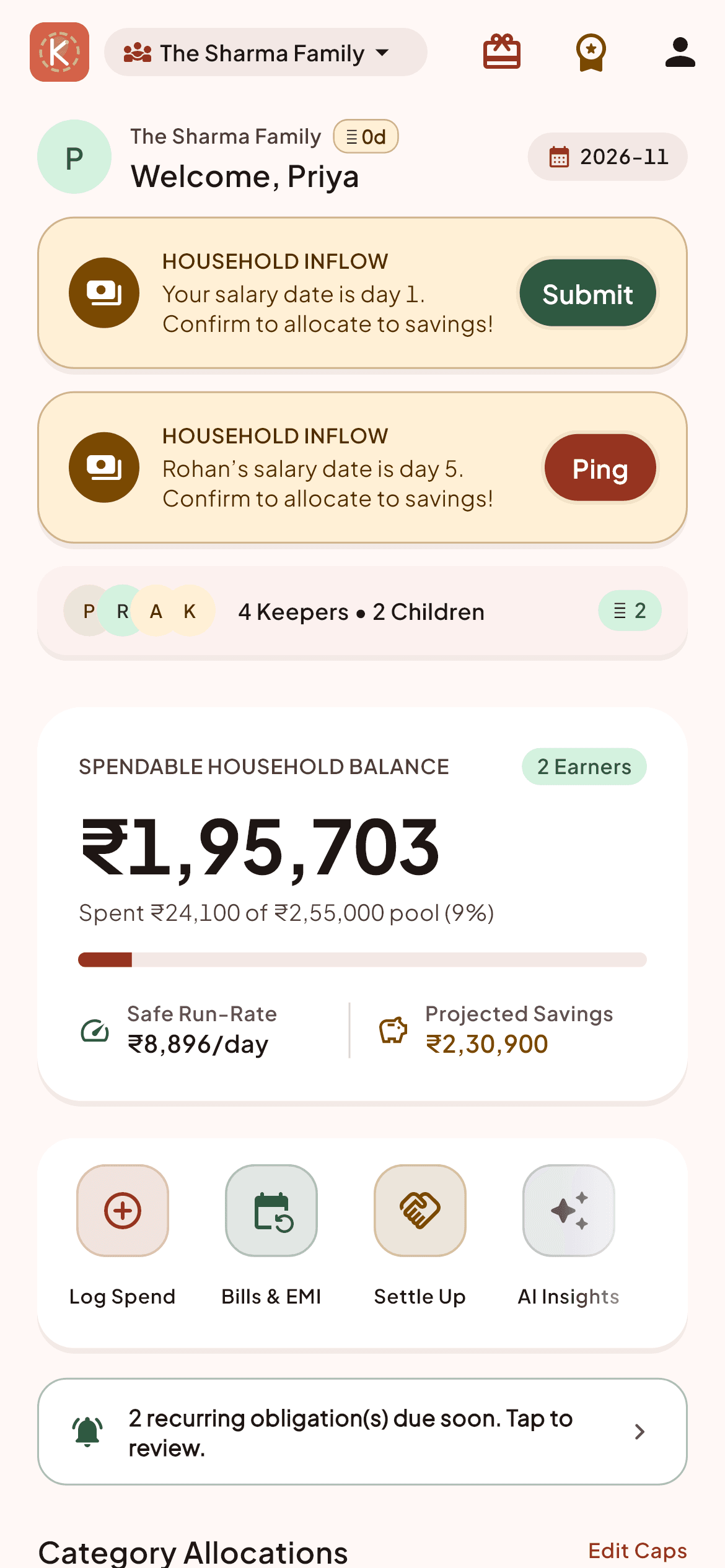
Instead of each person guessing what is left for the month, Kestro pools household contributions together. Rent, groceries, electricity, and school fees come out of one visible balance so everyone knows where the family stands.
Three simple steps to mastery
Designed for Couples, dual-earner households, and joint families running a common kitchen.
Define your monthly household pool
Household earners log their planned monthly contributions to establish the total family budget.
Watch the balance update live
Every logged grocery run, milk delivery, or utility bill reduces the remaining pool in real time.
Avoid month-end surprises
Category status bars turn from green to amber as spending approaches your agreed limits.
Built for speed, accuracy, and calm
Frequently Asked Questions about Shared Budget & Household Pool
Can I keep my personal savings private?
Yes. Kestro connects to no bank accounts. Only the contributions you choose to log into the household pool are shared with your family.
What happens if we exceed a category limit?
Kestro visually highlights the category in amber so family members can discuss adjustments calmly before the month ends.