Set up in two minutes. Clear finances for years.
Kestro is intentionally straightforward. No complex accounting spreadsheets or financial certifications required. Here is how your household runs smoothly.
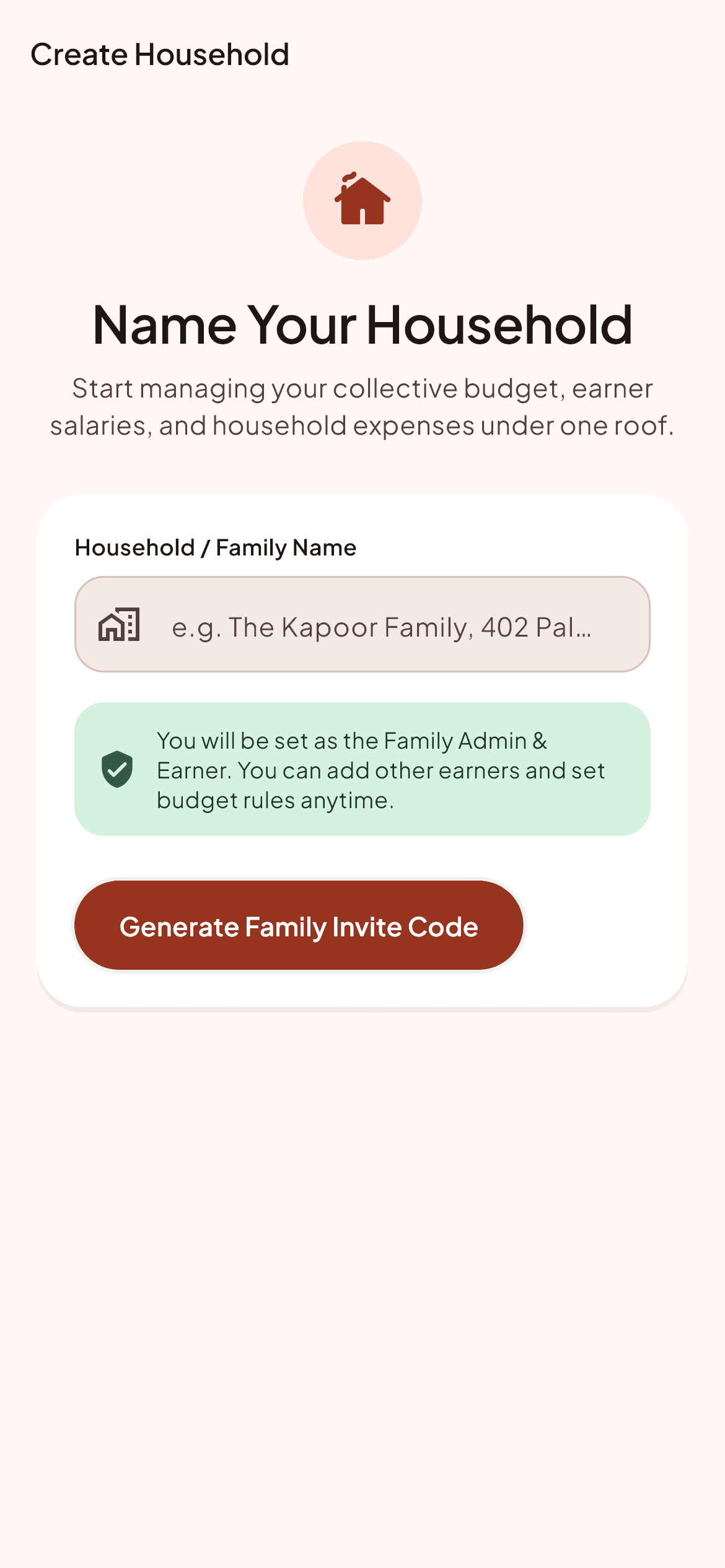
Create your household in 30 seconds
Open the app and give your household ledger a name like 'Sharma Family' or 'Koramangala Flat'. No sensitive bank login credentials or PAN card uploads required.
Elder family members can pick Hindi, Bengali, Tamil, or Telugu; working members can pick English. Everyone views the same shared data seamlessly.
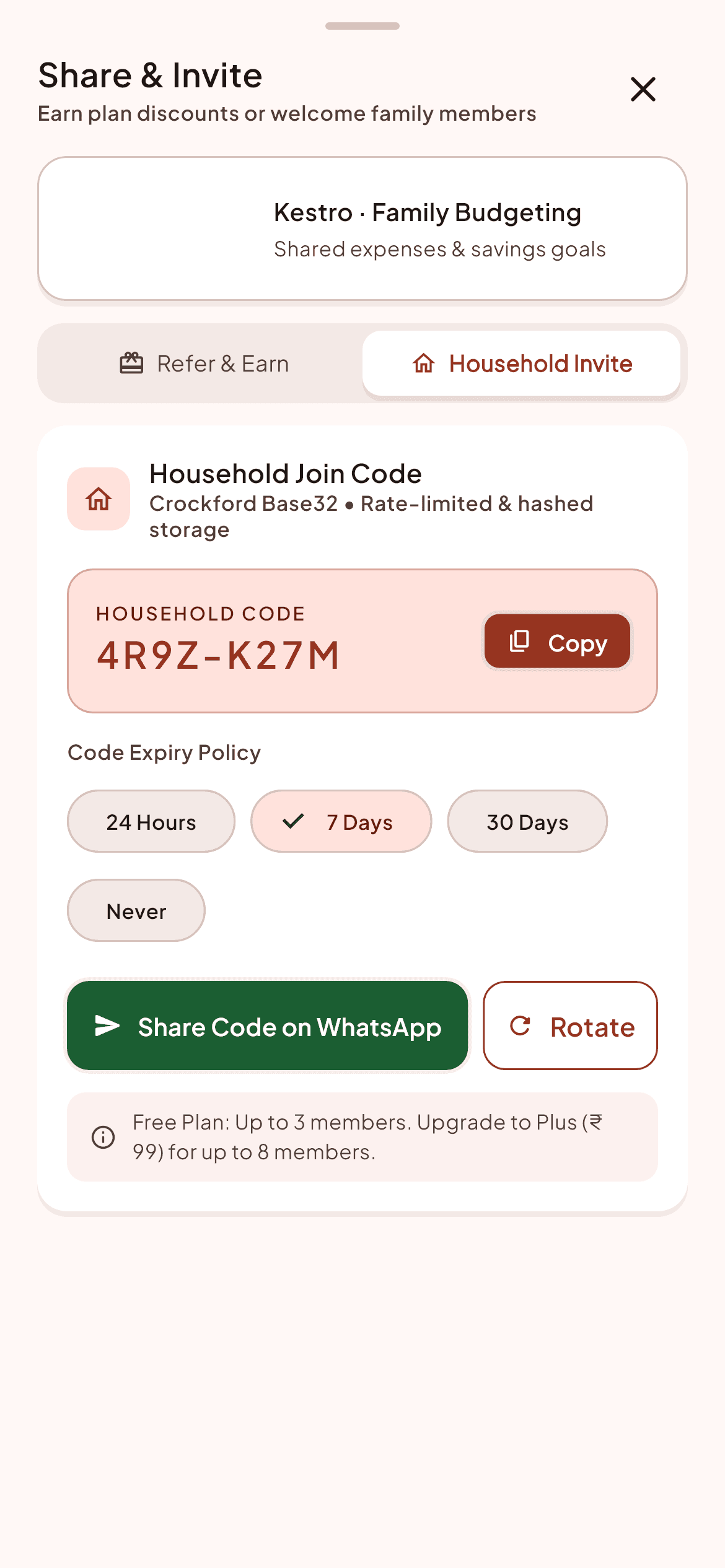
Invite family members with a private 8-character code
Generate an 8-character code (e.g. KEST-7428) and send it via WhatsApp or SMS. Family members install Kestro on Android, type the code, and join immediately.
Assign roles: Admin (full control), Member (can log spends and view totals), or Viewer (view-only for teens or elderly dependents).
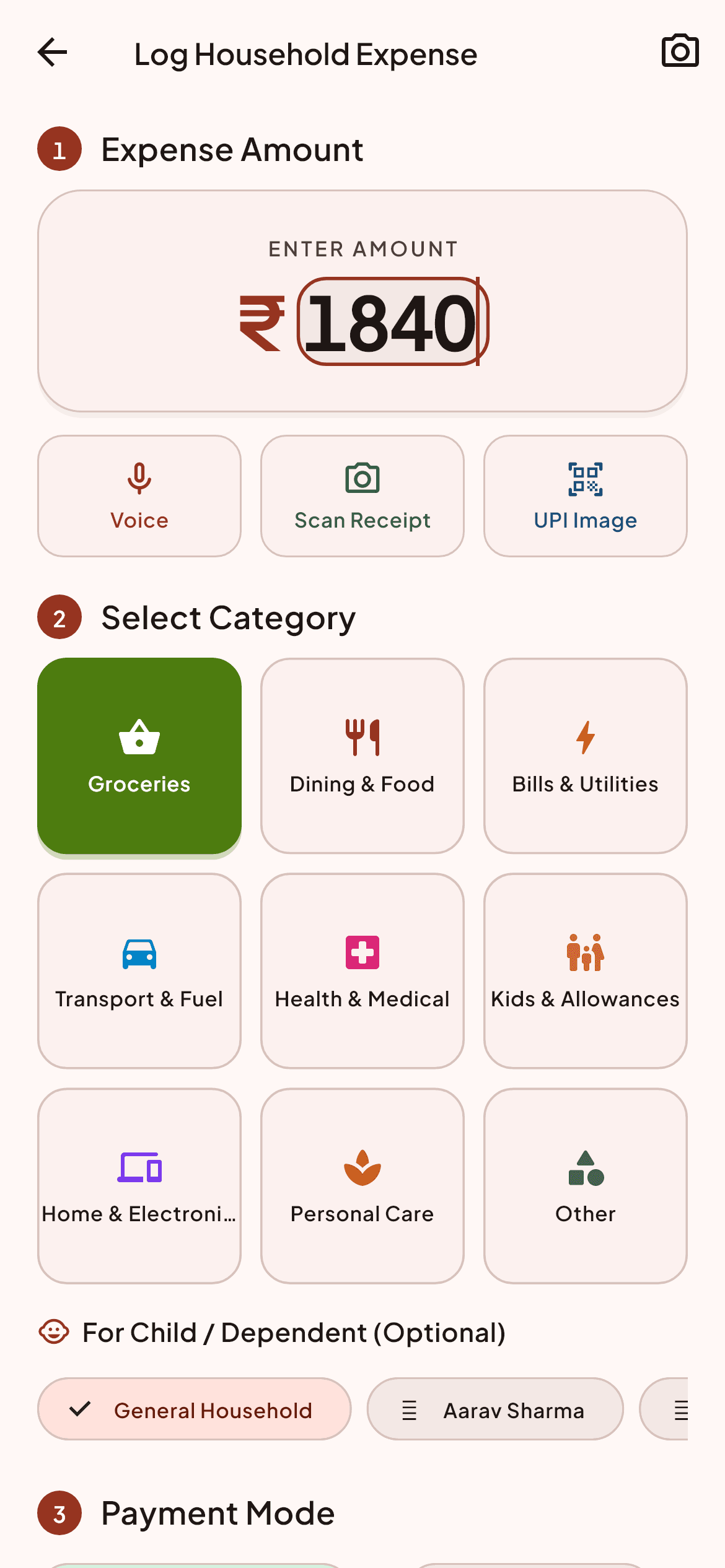
Log everyday spends in under 5 seconds
Type the amount, tap the category (Groceries, Vegetables, Milk, Fuel), and select who paid. Because we intentionally avoid reading private SMS messages, logging is conscious and error-free.
Attach paper bill photos or receipts in 1 tap for warranty records or tax filing.
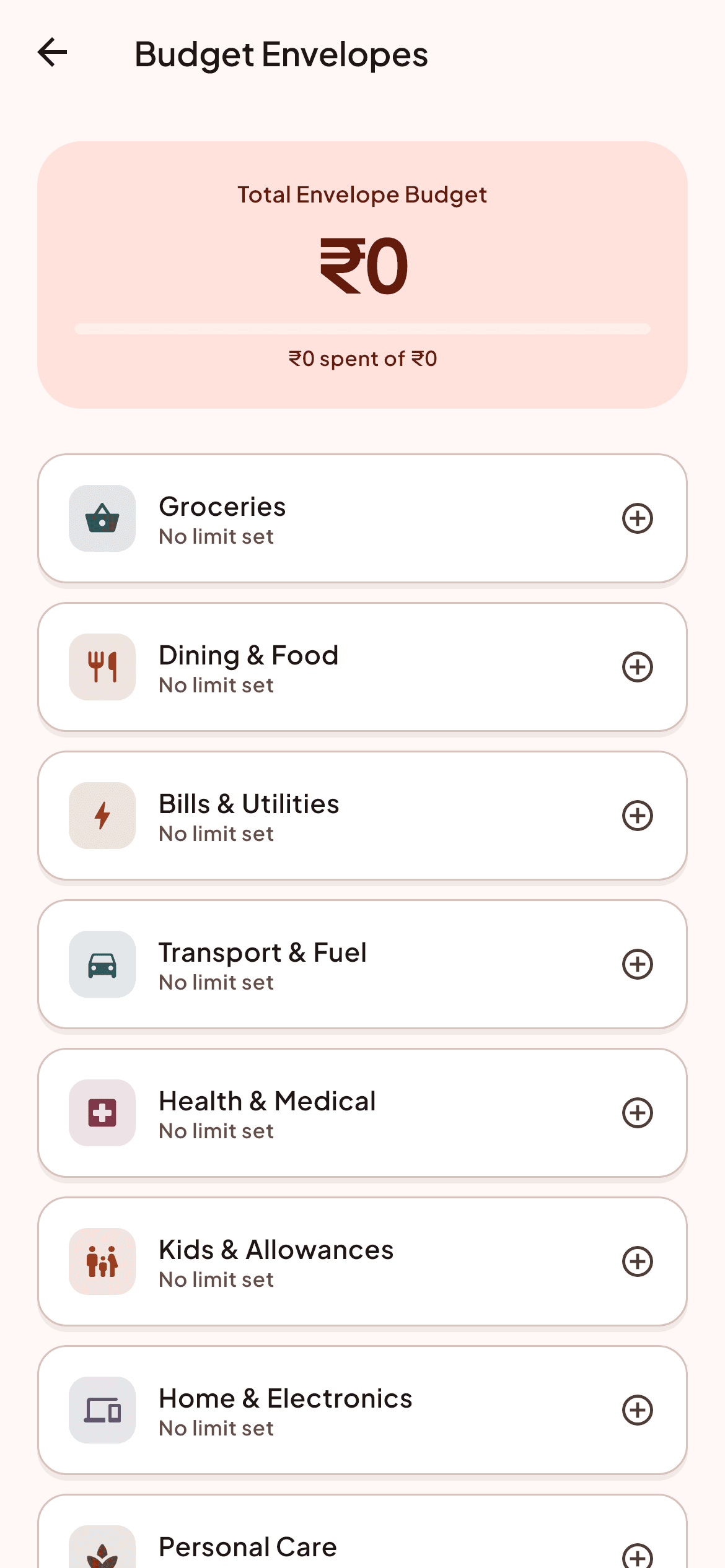
Set category budget envelopes together
Agree on monthly limits for common expenses like Groceries, Utilities, and Weekend Dining. Kestro calculates a safe daily spending pace so nobody is surprised mid-month.
Unspent budget rolls over automatically to next month or can be allocated to shared savings.
Settle up without awkward calculations
Kestro automatically tracks who contributed what to the household pool and calculates the simplest debt path. When it is time to balance out, settle up directly via Indian UPI apps in one tap.
Direct payment intent opens your preferred UPI app (PhonePe, Google Pay, Paytm) with zero transaction surcharge.
Review a calm month-end summary report
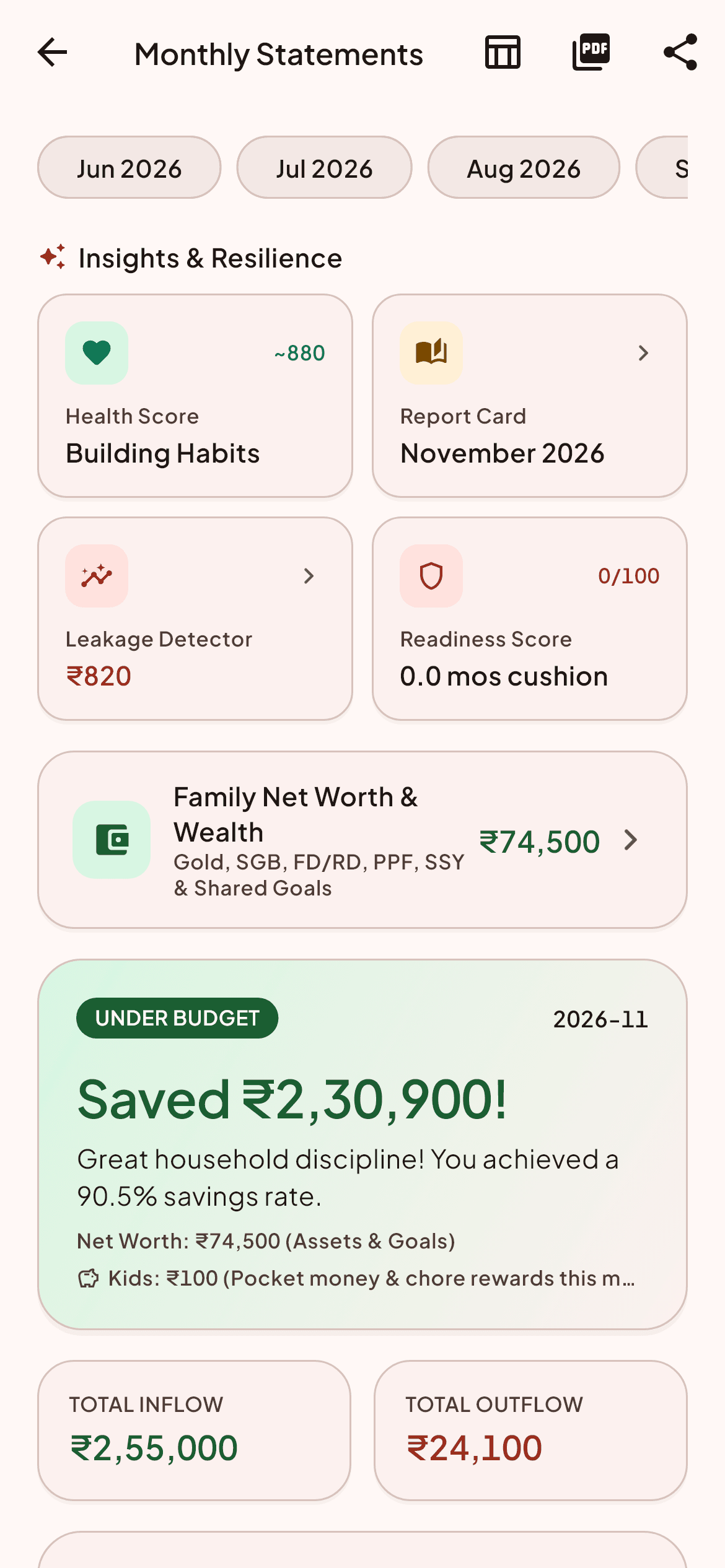
At the end of the month, receive a clear visual report showing where money went, highest spending days, and savings progress. Export as CSV or Excel anytime.
No finger-pointing or heated arguments. Just honest, clear facts that help your family plan for next month with peace of mind.
Three family roles that preserve dignity
Not everyone in the house needs the same controls. Assign exactly what fits each family member.
Household Admin
Full authority to create category budgets, invite members, change roles, export CSV ledgers, and manage billing.
Contributing Member
Can log daily spends, mark bills as paid, settle balances, and view category progress. Cannot edit family budget limits or delete records.
Household Viewer
View-only access to category balances and month-end summaries. Cannot enter expenses or initiate settlements.
Ready to bring calm to your household?
Set up your family ledger in two minutes on Android. Free to start.