Fast Expenses & Receipt Scanning
Friction is the number one reason family budgeting fails. Kestro makes logging an expense effortless: type the amount in three seconds, speak it while walking to your car, or scan a printed supermarket bill.
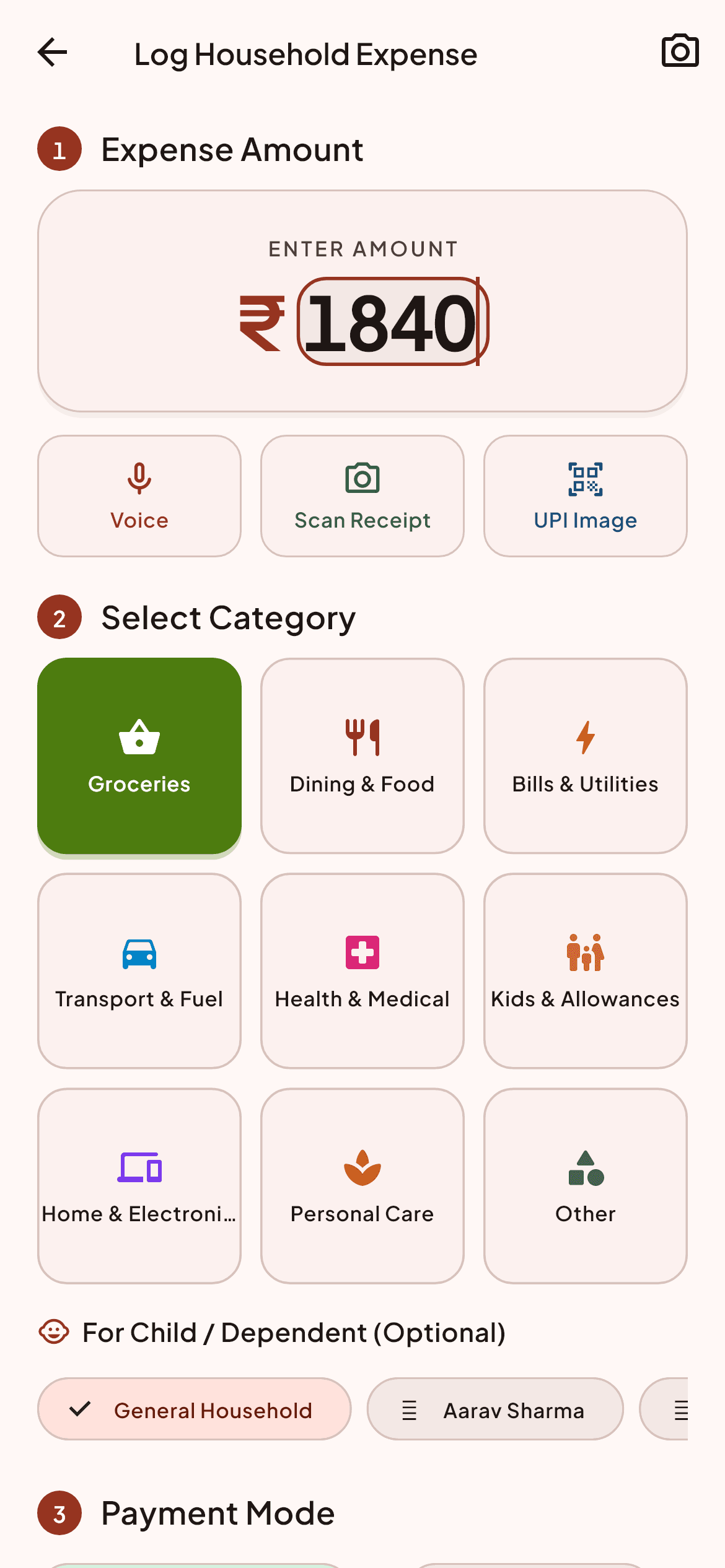
Three simple steps to mastery
Designed for Anyone buying groceries, medicine, or paying household bills on the go.
Enter amount and category
Type the amount and tap a common household category like Groceries, Utilities, or Dining.
Choose the split method
Split equally (50/50), proportional to monthly income, or assign it 100% to one earner.
Scan or speak on the go
Use on-device speech recognition or ML Kit receipt text recognition for printed paper bills.
Built for speed, accuracy, and calm
Frequently Asked Questions about Fast Expenses & Receipt Scanning
Does Kestro read my personal bank SMS messages?
No. Kestro never accesses your SMS inbox. All entries are deliberately logged by you or scanned from a paper receipt.
Are receipt images uploaded to public AI servers?
No. Receipt text recognition runs on-device using Google ML Kit libraries without sending raw photos to external third parties.